Give every cinematic shot a reason to exist
A cinematic AI video is not defined by the number of camera moves it contains. It is defined by how framing, movement, light, performance, and editing direct attention. A dramatic orbit can make a simple moment harder to understand. A still frame can create tension when the audience knows what to look for. A useful Higgsfield AI workflow begins with the information a shot must reveal, then chooses the movement that helps reveal it.
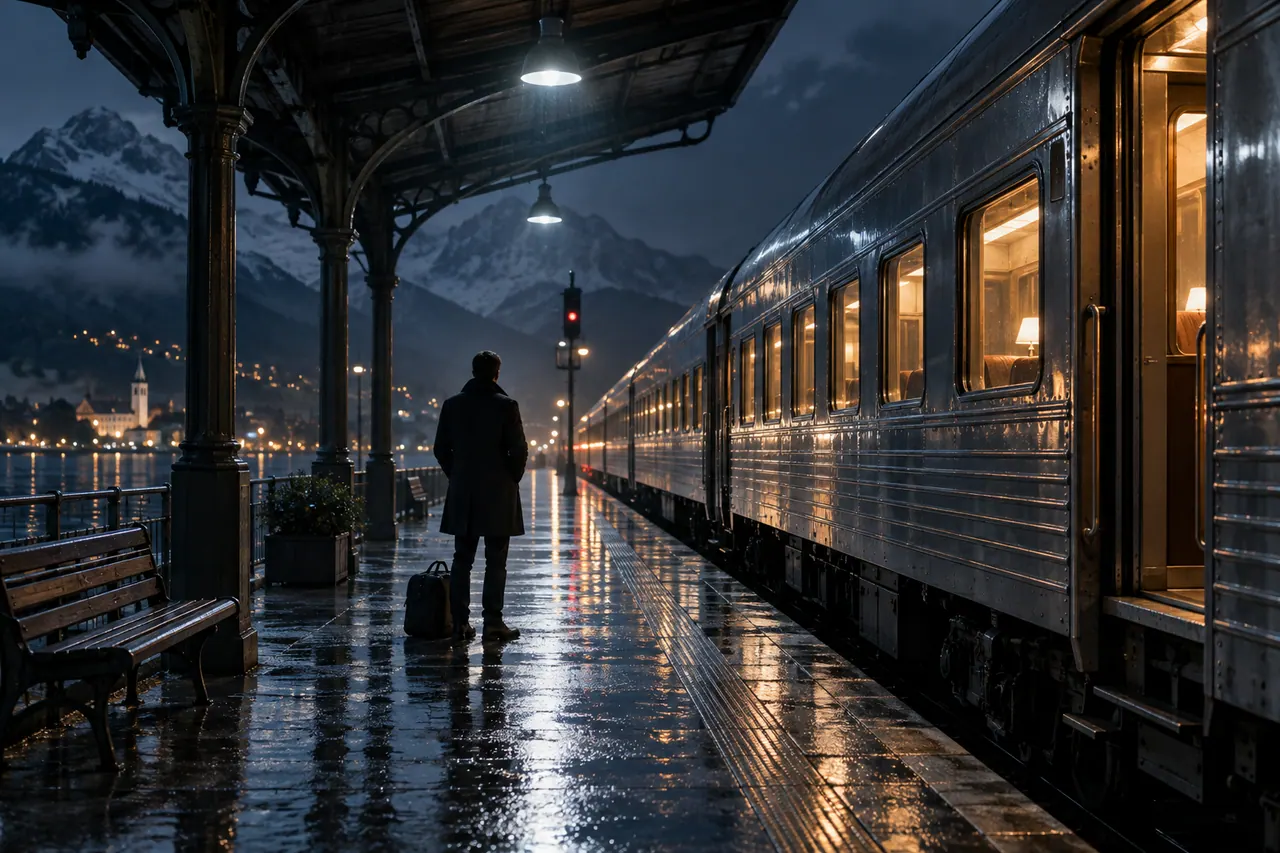
This guide develops a fictional short sequence called The Last Platform. A traveler waits beside a stationary night train, notices a forgotten red scarf through a window, and decides to return it before departure. The story is deliberately small. It gives the creator a clear action, a repeated object, a manageable environment, and a reason to move between wide views and details. It is an illustrative filmmaking exercise, not a report of an actual production or a demonstration of guaranteed model behavior.
Higgsfield's official website presents tools and workflows for AI visual creation. Use its current product pages to confirm the available models, inputs, camera options, editing features, and account access before choosing a workflow. This article describes creative planning and review methods that can be adapted to the tools available to you. It does not assume that every suggested movement is a selectable preset or that every generation environment interprets a prompt identically.
The goal is a short sequence that a viewer can follow without an explanation from the creator. The platform should remain spatially coherent, the scarf should remain recognizable, and the traveler's intention should become clear through the edit. A successful result may use only a few restrained shots. The most useful AI generation is the material that supports the story, even when it is less spectacular than another candidate.
Define the geography before writing camera prompts
Draw a simple overhead map. The train occupies one side of the platform. The traveler stands near a bench. A lit carriage window reveals the scarf. The nearest open door sits farther along the same train. A platform lamp supplies a warm pool of light, while the carriage windows provide a cooler glow. These relationships establish where the character can look and move without confusing the audience.
Choose a consistent screen direction for the main action. If the traveler moves toward the door from left to right in the opening view, later shots should preserve that direction unless the edit deliberately reorients the viewer. A generated clip that reverses the train or relocates the door may still look plausible by itself. In the sequence, it can make the character appear to walk away from the destination.
Keep the environment modest. One bench, one lamp, a small stretch of platform, and a readable section of train are enough. Crowds, reflective puddles, multiple tracks, and complicated signage create additional continuity demands. They can be introduced later if they serve the story, but they are unnecessary for establishing the exercise. Simplicity makes both prompt writing and defect detection more effective.
Record a few fixed spatial facts in the visual brief. The bench sits between the traveler and the camera in the first wide view. The scarf is visible through the second lit window to the right. The open door lies beyond that window. These facts do not need to appear verbatim in every prompt, but they provide a reference when comparing outputs. The scene becomes easier to edit when each shot belongs to a shared map.
Design a character that is easy to recognize
The traveler wears a dark blue coat, a pale shirt, plain trousers, and a small shoulder bag. The hairstyle and face should remain consistent, but the story does not depend on an elaborate costume or distinctive jewelry. A simple silhouette helps recognition at different shot sizes. It also reduces the number of details that may drift between generated frames.
Create a neutral character reference before placing the traveler in dramatic night lighting. Include a clear face view and a full-body view if the chosen workflow supports using them. Keep the coat length, bag position, and general proportions readable. Avoid selecting a reference only because it has the most expressive light. The reference needs to explain identity; atmosphere belongs to the scene design.
Define the performance with observable behavior. The traveler is tired but attentive. Their shoulders are slightly relaxed, their gaze shifts toward the window, and their decision appears through a small change in posture. Avoid an instruction such as “show a complex emotional journey” when the shot only needs a glance. A precise physical action is easier to evaluate than an abstract emotional request.
For a real project, use authorized references and appropriate permissions for any identifiable person. For this fictional exercise, create an original character rather than requesting an imitation of a particular actor. The sequence should develop its own identity through costume, staging, and rhythm. Recognition within the film matters more than resemblance to someone the audience already knows.
Make the scarf a continuity anchor
The red scarf is the object that connects the shots. It should have a simple, stable appearance: a muted red woven fabric, a narrow rectangular shape, and short fringe at both ends. It lies across the back of a carriage seat in the discovery shot. Its color should remain recognizable under the cooler interior light and the warmer platform lamp.
Prepare a reference image that shows the scarf clearly without a complex fold. Then decide how much variation the scene can tolerate. Fabric naturally changes shape when handled, but its length, texture, color family, and fringe should not transform. A later close shot should not turn it into a patterned shawl or a glossy ribbon. These distinctions become important when the object is the reason for the character's action.
Use the scarf to guide visual attention through contrast. The platform and costume can remain relatively restrained so the red detail is noticeable. Do not saturate it so strongly that it appears to glow or loses believable fabric texture. The object should be discoverable within the scene, not look like a graphic marker pasted over it.
Document its position at the beginning and end of every relevant shot. If the traveler picks it up with the right hand, the following shot should not show it suddenly in the bag without an intervening action. An editor can sometimes bridge a missing movement, but the story should not rely on viewers ignoring contradictions. A small continuity object gives the production a concrete way to judge whether generated clips work together.
Choose shot sizes according to the question
A wide shot answers where the traveler is. A medium shot answers what they are attending to. A close shot answers what they notice. A detail of the scarf answers why they change direction. These functions should guide the shot list. If every shot is a dramatic close-up, the audience may feel intensity without understanding the space. If every shot is wide, the crucial discovery may be too small to read.
Plan an opening wide view with the traveler, bench, and train in the same composition. Follow with a medium view that shows the gaze shift. Cut to the window and scarf, then return to the traveler beginning to move. A closer view near the door can bridge the approach, while the final shot resolves the action. The exact order can change, but the information should arrive in a comprehensible sequence.
Avoid generating coverage merely because conventional productions often collect many angles. Each additional AI shot creates another identity and geography problem to review. Start with the minimum set that tells the story. Add an angle when the edit reveals a missing piece of information or a transition that cannot be solved with the existing material.
Give each shot a short purpose statement in the planning document. “Establish the traveler beside the train.” “Reveal the red scarf through the window.” “Show the decision to return it.” These statements make it easier to reject an attractive output that does not perform the required job. A shot can be beautiful and still be unnecessary, misleading, or too ambiguous for the sequence.
Distinguish camera movement from subject movement
A camera moving toward a stationary traveler creates a different effect from a traveler walking toward a stationary camera. The resulting frame may look similar for a moment, but the spatial and emotional relationships differ. Name both forms of movement in the prompt. State what the camera does, what the character does, and what the environment does.
For the discovery moment, the camera can remain still while the traveler turns their head toward the window. That simple staging makes the action readable. A simultaneous orbit, head turn, train movement, and changing light would create too many competing events. Complexity should be introduced because the story needs it, not because a generation tool offers an exciting effect.
When planning a push-in, define its scale and purpose. A short, slow approach can emphasize the moment of recognition. A rapid move can suggest alarm, which is wrong for this gentle story. The difference is not merely speed; it changes the meaning of the performance. Write the intended feeling through the physical action and evaluate whether the returned motion supports it.
Keep the train stationary during the discovery and approach shots. If it begins moving unexpectedly, the scene's stakes change and the planned action may become implausible. Generated background motion deserves the same attention as the main subject. A clip should be reviewed for everything that moves, including reflections, lights, doors, and distant figures, rather than only the traveler's face.
Write an opening image prompt that establishes the world
A useful starting frame contains the information the motion sequence needs. The traveler should be clearly separated from the bench and train. The platform surface should provide visible contact under the feet. The lit window should exist in a location that can support the later discovery. Avoid an opening frame that is so dark or tightly cropped that the generator must invent the missing geography during motion.
An illustrative Higgsfield AI image brief is: “A quiet fictional railway platform at night. One traveler in a dark blue coat stands beside a simple wooden bench, carrying a small shoulder bag. A stationary passenger train runs along the right side of the platform. One warm overhead lamp and cool light from the carriage windows create a restrained, natural night atmosphere. Medium wide view at eye level, readable space between traveler, bench, and train, clear platform edge, no crowd, no visible writing.”
This is a proposed prompt, not a record of a produced image. Its value lies in the relationships it names. The single traveler simplifies identity. The stationary train preserves the scene's premise. The two light sources establish a repeatable palette. The eye-level view introduces the space without an exaggerated perspective that would make later matching difficult.
If preparing a reference with a GPT AI image generator prompt in another tool, keep the same geography and costume description. Confirm that the image is suitable and permitted as an input to the next stage. Prompt reuse should preserve intent, while output review checks the actual result. The process should never assume that a reference is correct simply because the written request was precise.
Write motion prompts as short directing notes
Once the starting image is approved, write the motion request as a directing note rather than a second description of the entire world. For the opening, the traveler can remain almost still while the camera moves a short distance forward. For the discovery, the head turns gently toward the window. For the approach, the traveler takes a few measured steps along the established direction. Each clip has one principal action.
An illustrative motion note is: “The traveler remains beside the bench and slowly turns their head toward the lit carriage window on the right. The camera stays at eye level with a very slight forward drift. Preserve the dark blue coat, shoulder bag, platform layout, and stationary train. The expression changes from tired distraction to quiet attention. No other person enters the frame.” Use supported controls in the actual interface where relevant, and verify the interpretation in the output.
Do not add a long list of camera terminology unless it contributes a distinct instruction. Combining dolly, orbit, zoom, tracking, handheld, and crane language can produce an unclear request. Decide which movement is essential and remove the rest. A short note that describes one understandable action often gives the editor more useful material than a dense paragraph of competing effects.
Record the prompt with the selected clip and note any difference between intention and result. The head turn may be too large, the camera may drift sideways, or the scarf may become visible too early. Those observations guide the next iteration. They also prevent the team from treating the written prompt as evidence that the resulting shot contains the requested action.
Plan the window shot around reflections
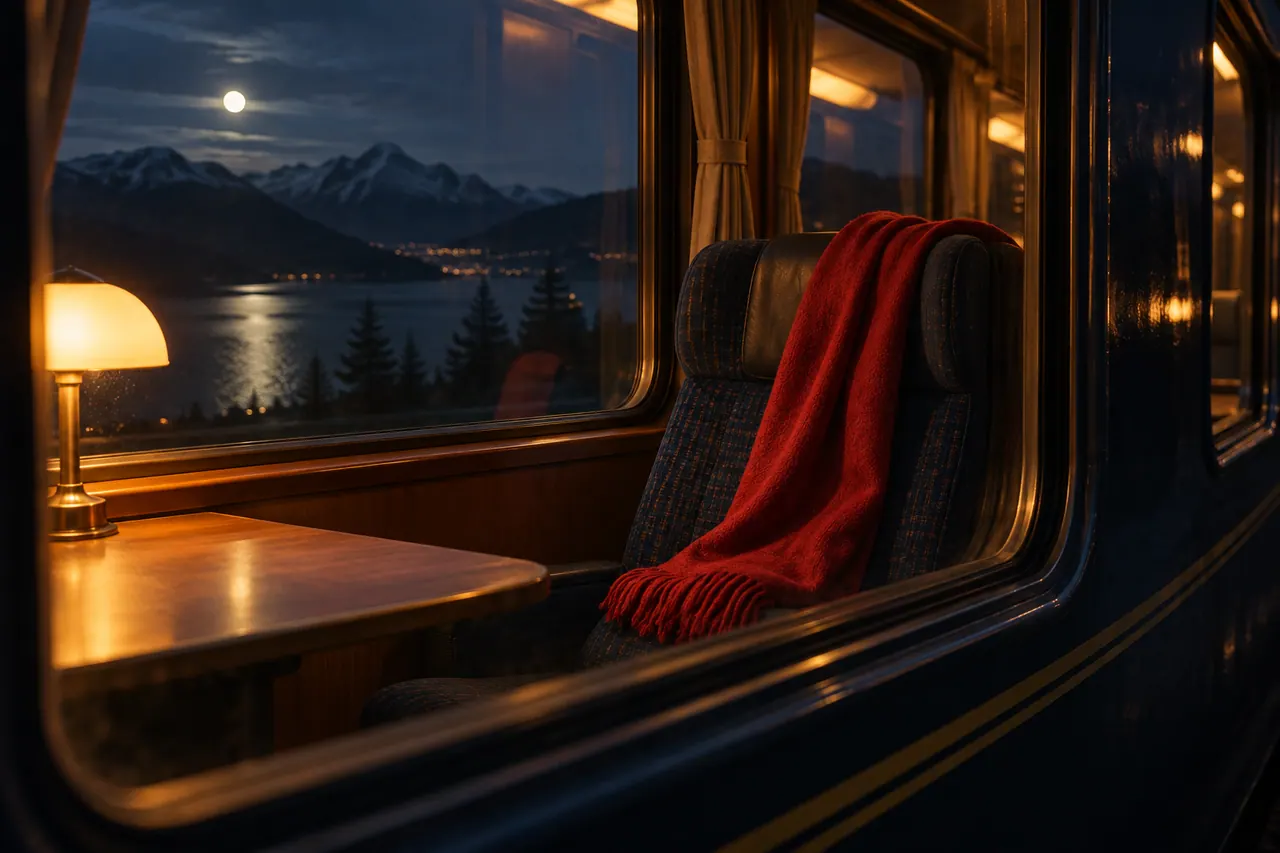
A train window is visually useful but technically demanding. It can show the scarf inside, reflect the platform, and reveal the traveler at the same time. Those layers can become confused in generated imagery. For this exercise, simplify the discovery shot so the scarf is clearly visible through the glass, with restrained reflections that support the setting without obscuring the object.
Choose a camera angle that reduces competing information. A slight angle to the window can create depth, but a strong oblique view may make the interior difficult to understand. Keep the seat and scarf close enough to the glass to be readable. The viewer needs to recognize an unattended object, not inspect a complicated carriage interior filled with passengers and luggage.
Evaluate reflection consistency over time. A lamp reflection should not jump independently of the camera. The traveler's reflected face should not become a second person inside the train. A reflection that appears only in the first frame may disappear during movement. These defects can be more distracting than a small texture issue because they change the perceived structure of the scene.
If the window shot remains unreliable, use a simpler editorial alternative. A closer interior view of the scarf can follow the traveler's glance, with the surrounding seat establishing context. The audience can understand the relationship through the cut. A storyboard should allow such substitutions. Preserving the narrative function is more important than forcing one visually complicated shot to work.
Keep eyelines consistent across the cut
An eyeline connects a character's attention to what the audience sees next. If the traveler looks toward the right side of the frame, the following view should make sense as the object of that look. The relationship does not require a rigid formula, but it does require coherent staging. A scarf shown from an incompatible direction can make the traveler seem to notice something else.
Use the overhead map to check the camera's position for each shot. Mark where the traveler stands, where the scarf lies, and which side of the interaction the camera occupies. When a generated shot reverses the arrangement, decide whether it can be reframed or replaced without breaking the sequence. A horizontal flip may introduce problems with bag placement, lighting, or other asymmetrical details, so it should not be treated as an automatic fix.
Review the glance and object shot as a pair. Play them in sequence without the rest of the film. Does the viewer understand that the scarf has been noticed? If not, the gaze may be too subtle, the object too small, or the cut too early. Solve the specific communication problem before adding sound effects or dramatic music to compensate.
The return shot should show a change in intention. The traveler shifts weight, turns toward the door, or begins a measured step. This action completes the discovery beat. Without it, the sequence may look like a collection of observations rather than a story. The camera does not need to announce the decision with a grand movement when the performance can make it clear.
Generate walking as a manageable action
Walking seems ordinary, but it combines many relationships that can drift in AI video: foot contact, leg movement, coat motion, bag swing, body direction, and background perspective. Keep the approach shot short and readable. The traveler only needs to move from the bench toward the nearby door. A long uninterrupted journey along the entire platform is unnecessary for the story and creates more opportunities for visible errors.
Choose a framing that supports the required information. A medium view can show direction and intention without making every footstep central. A wider shot may be useful if the distance to the door is unclear. Do not hide defects with an arbitrary crop before checking whether the crop still communicates the action. The chosen framing should serve the scene rather than merely conceal a problem.
Inspect the bag and coat as continuity markers. The bag should remain on the same shoulder, and the coat should not change length or fastening. Watch the traveler's pace relative to the background. If the feet move while the body appears to slide, the clip may need replacement or a shorter usable section. A generated walk should be reviewed at normal speed because frame-by-frame plausibility does not guarantee convincing motion.
An alternative is to divide the approach into a departure from the bench, a brief detail of movement, and an arrival near the door. The edit can imply the distance without showing every step. This is a practical filmmaking choice, not a compromise unique to AI. A sequence often becomes clearer when it shows only the actions that change the audience's understanding.
Use inserts to bridge information rather than decorate
An insert is a close view of a meaningful detail. In The Last Platform, the scarf, a hand near the carriage door, or the traveler's bag shifting as they move can serve as inserts. Each should add information or bridge an action. A random close-up of a train wheel may look cinematic but distract from the modest story unless the train's impending departure has been established as relevant.
The scarf insert is especially useful because it clarifies the object before the traveler acts. Keep its color and fabric consistent with the reference. Avoid an overly dramatic shallow focus that makes the fringe unreadable if the fringe is needed for recognition later. A close shot should simplify the message. It should not become so abstract that the viewer cannot identify what they are seeing.
Plan the beginning and end of an insert with the surrounding shots in mind. A hand entering from the wrong side can conflict with the traveler's position. A door handle that changes shape between the insert and wider view can undermine continuity. These details are easier to catch when the insert is reviewed within a rough edit rather than as a standalone clip.
Use inserts sparingly. Too many can fragment the scene and make a simple act feel mysterious or overly important. The story needs enough detail to explain the decision and action, then room for the resolution. A useful insert earns its place by solving a specific editorial problem. If removing it makes no difference to comprehension or rhythm, the film may be stronger without it.
Review generated clips at three different scales
First watch the clip in the intended sequence at normal speed. This reveals whether it communicates the right action and whether its rhythm fits. A technically clean clip can still be wrong because the traveler reacts too strongly or the camera movement draws attention away from the scarf. Narrative review should come before spending time on tiny visual imperfections.
Next inspect the clip on its own at normal viewing size. Look for changes in identity, object structure, light direction, and motion. Watch the beginning and end especially carefully because a clip may drift after a convincing start. Check whether new objects or people appear. In a quiet platform scene, a sudden background figure can change the story even if it is visually plausible.
Finally inspect selected frames more closely. Look at hands, face, scarf texture, window reflections, and contact with the ground. This pass helps identify defects that may be repairable or avoidable through trimming. Do not let magnification become the only standard. The final decision must consider how the image behaves at its actual display size and pace.
Record a clear disposition for each candidate: selected, selected with a specific trim, needs revision, or rejected. Explain the reason in a short note. “Usable until the bag changes sides” is actionable. “Almost good” is not. A structured review prevents the editor from rediscovering the same defect every time the clip is opened and makes the approved set easier to trust.
Build the rough cut without relying on music
Assemble the scene with basic room tone and no musical score. The traveler waits, notices the scarf, moves toward the door, and returns the object. The audience should understand those actions through the images and cuts. If the sequence is unclear, music may add emotion but will not reliably solve the missing information. Fix the visual relationships while the edit remains easy to change.
Use temporary timing rather than committing to every clip's full generated duration. A shot may contain only a brief useful moment. Trim around the action that matters and leave enough space for the viewer to read it. Avoid cutting so quickly that continuity errors are hidden at the cost of comprehension. The goal is a clear sequence, not a demonstration that every generation was used in full.
Compare two versions of the discovery beat. One can linger on the traveler's glance before revealing the scarf. Another can show the scarf earlier, letting the audience understand the situation before the character reacts. These choices create different experiences. Testing them in the edit is more informative than debating abstractly which approach is more cinematic.
Show the rough cut to someone unfamiliar with the project. Ask what the traveler noticed and why they moved. If the answer differs from the intended story, locate the ambiguity. Perhaps the scarf looks like part of the seat, the gaze points elsewhere, or the door is not established. A small corrective shot may be more effective than regenerating the entire sequence.
Create tension with sound rather than constant motion
The platform can feel alive through sound even when the pictures remain restrained. A low train hum, distant station ambience, a soft fabric movement, and a measured footstep can provide physical context. The sounds should agree with the scene's scale. A loud engine surge would suggest imminent movement, while a quiet electrical hum supports the stationary train established in the brief.
Use an announcement only if it serves a clear narrative purpose and can be made intelligible. A vague background voice may add atmosphere, but a specific departure announcement changes the stakes. If the story introduces urgency, the character's pace and edit need to respond. Sound is part of the narrative system, not a decorative layer that can be added without consequences.
Keep the scarf action tactile. A small rustle can help the viewer register the object being picked up or placed. Avoid a dramatic impact or sweeping effect for a gentle gesture. The emotional scale of the scene depends on these choices. A modest act of care becomes less believable when every movement is accompanied by an exaggerated cinematic accent.
Add music only after the sequence works with basic sound. A restrained cue can support the final sense of resolution without telling the viewer how to feel at every instant. Test the scene again with the music muted. The edit should retain its causal clarity. Preserve separate audio elements in the project so that later revisions can adjust the balance without rebuilding the entire mix.
Match night lighting without losing the subject
Night scenes often fail by becoming uniformly dark or excessively blue. The Last Platform uses two motivated sources: a warm platform lamp and cooler carriage light. Their relationship should remain consistent enough for the audience to recognize the space. The traveler can move between them, but the direction of light should not change arbitrarily from one shot to the next.
Choose a reference frame for the overall night balance. Compare skin, coat, train surface, and scarf color against it. The red scarf should remain distinguishable without becoming unnaturally bright. The dark blue coat should retain enough separation from the train and background to preserve the silhouette. If everything merges into one dark shape, the scene loses useful information.
Correct exposure and color with restraint in the editing environment. A strong grade cannot repair an image whose lighting implies a different location. If the discovery insert looks like a brightly lit daytime carriage, it may need a new source rather than a heavy blue overlay. Match the underlying light logic before applying an overall mood.
Check the sequence on an ordinary display at a reasonable brightness. A carefully graded dark scene can become unreadable outside the creator's monitor conditions. Look at the mobile version as well. The viewer should be able to identify the scarf, the traveler's direction, and the final action without straining. Atmosphere is useful only when it leaves the story visible.
Resolve the scene with a readable gesture
The ending should show that the scarf has been returned, not merely that the traveler reached a door. One option is a simple interior view of the scarf placed neatly on a seat beside an attentive passenger. Another is a handoff framed closely enough to avoid introducing a fully developed second character. Choose the version that the available material can communicate clearly and consistently.
If a second person appears, define their role and appearance before generating the shot. They should not be mistaken for the original traveler. Keep the interaction modest: an offered scarf, a receiving hand, and a brief acknowledgment. Complex hand contact or overlapping bodies may require careful review. A simpler composition can communicate generosity without a prolonged performance.
Allow a small moment of release after the action. The traveler can step back onto the platform, or the final frame can rest on the returned scarf. The resolution does not need a sweeping aerial shot or a sudden train departure unless those events belong to the planned story. Ending on a readable detail often preserves the intimacy established at the beginning.
Review the final action without music or explanatory text. A viewer should understand what changed. If the ending requires a caption saying that the scarf was returned, the visual sequence may be incomplete. A title can enrich a film, but it should not be used to repair a basic causal gap that could be addressed through staging or editing.
Prepare alternate formats without breaking geography
A vertical version may require different crops or replacement shots. The wide platform view could lose the relationship between the traveler and the window when narrowed. Begin by checking which spatial facts remain visible. If the door and scarf cannot coexist in the frame, use a short sequence of clear views rather than forcing a crop that removes the story's logic.
Keep the traveler's gaze and movement direction understandable across the new edit. A crop can change the perceived center of attention even when the underlying footage is unchanged. Review each cut as if it were a new sequence. The viewer of the vertical version should not need knowledge of the horizontal film to understand why the traveler moves.
Place any titles or captions in areas that do not obscure the scarf, hands, or critical eyeline. Check the current destination interface and preview the export where possible. Avoid assuming that one universal safe area works for every platform. The most important visual information should remain readable within the actual viewing environment.
Create a clean export record with aspect ratio, intended destination, and version. Watch the exported file rather than relying only on the editing timeline. Confirm that the opening frame, final frame, audio, and any captions survived the export correctly. A strong sequence can be weakened by a technical handoff mistake that has nothing to do with the generation quality.
Keep a shot ledger for the final handoff
A shot ledger gives the next editor a concise map of the production. Assign a simple identifier to the opening platform view, the glance, the scarf insert, the approach, and the return. For each, record the selected source file, the usable portion, the prompt, and the continuity facts that matter. The ledger should explain that the train remains stationary and that the traveler carries the bag on the same shoulder throughout the scene.
Include reasons for trims. A clip may be usable until a reflection becomes inconsistent, or only after the first moment of an awkward head turn. Recording that boundary prevents someone from extending the shot during a later revision and accidentally revealing the defect. If a replacement is needed, the note also explains what the new generation must improve while preserving the successful staging.
Keep the final edit, source clips, sound elements, reference frames, and exports organized separately. Save an unambiguous version of the approved sequence before testing an alternate ending. For collaborative work, write a brief description of the current state: which shots are final, which remain provisional, and which external assets require their source documentation. This makes the project transferable without requiring another person to inspect every rejected candidate.
The ledger is especially useful when returning to a film after several weeks. It preserves the relationship between creative intention and selected footage. Instead of starting from a folder of mysterious filenames, the editor can recover the scene's logic and make a focused revision.
Learn from the sequence rather than the best clip
The finished exercise should be evaluated as a story. Can viewers identify the traveler, understand the discovery, follow the movement, and recognize the act of returning the scarf? Those questions reveal whether the Higgsfield AI workflow has produced usable filmmaking material. A single impressive camera move is only one small part of that result.
Keep a record of the choices that improved the sequence. The window shot may have worked better with fewer reflections. The approach may have become clearer when divided into shorter actions. The ending may have needed a simpler handoff. These observations are specific to the exercise and the tools used. They should guide the next project without being presented as universal guarantees about AI video generation.
For a second exercise, change one creative condition while preserving the story structure. Try an overcast daytime platform, a different camera distance, or a quieter ending. Compare how the change affects readability and emotion. This develops practical directing judgment because the creator can see the consequences of a deliberate choice instead of merely collecting unrelated visual effects.
A reliable cinematic process connects intention, prompt, output, and edit. The intention defines what the audience should learn. The prompt requests a candidate shot. Review checks what actually happened. The edit gives that shot meaning beside the others. When those steps remain connected, AI video tools become part of a coherent filmmaking practice, and even a small story about a forgotten scarf can feel complete.
Official sources and further reading
Use these first-party pages to confirm current product access and controls. Creative exercises in this article describe a proposed workflow rather than a claim that every control is available in every plan.