Try the latest PoloX AI Agent
HHIGGSFIELD 2.0
Start free · no sign-up
CHOOSE A FREE GENERATORFree AI video generator →Free AI image generator →

INDEPENDENT GUIDE · Higgsfield AI

Higgsfield AI Camera Studio: Turn a Scene into a Shot

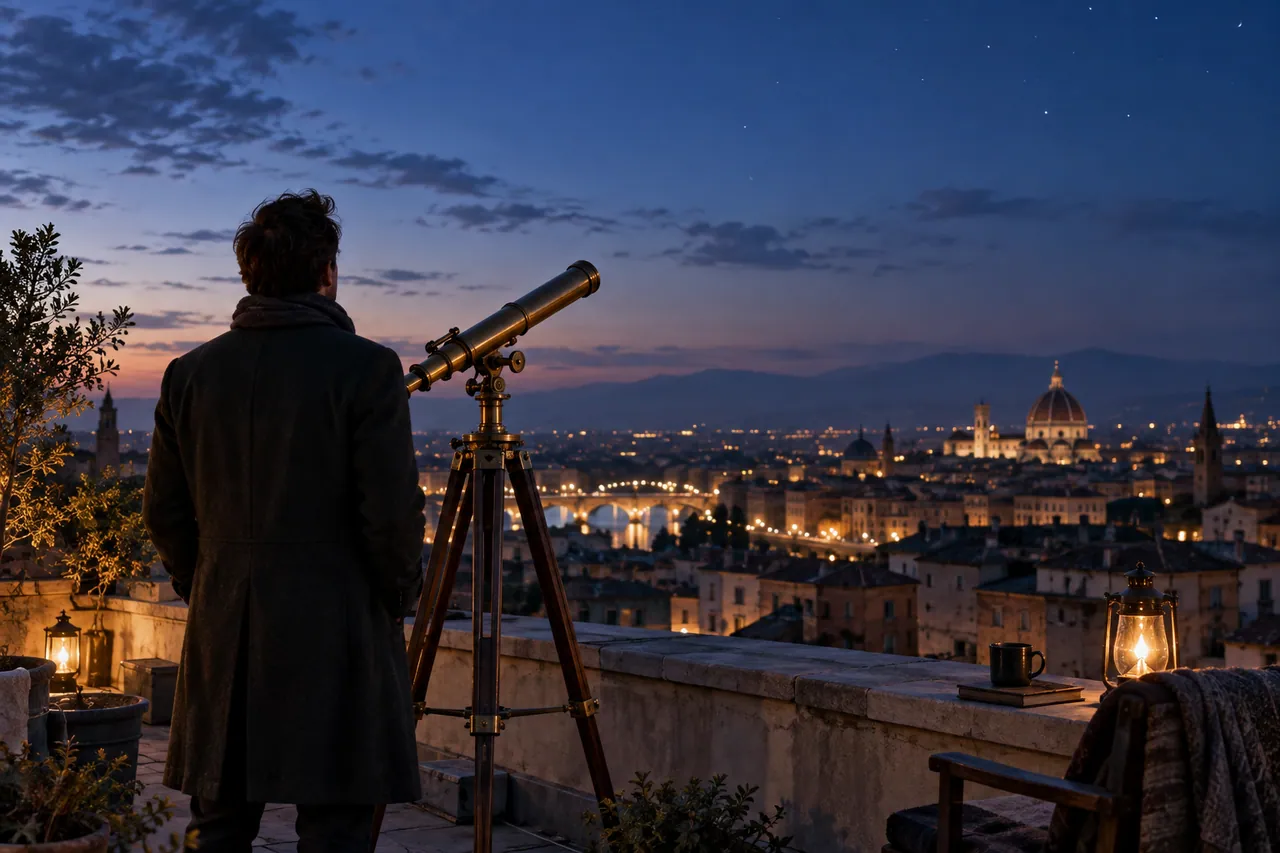
Higgsfield AI camera planning starts with where the viewer stands. Our rooftop observatory exercise uses a distant establishing view and an intimate telescope detail. The two compositions suggest different emotional functions: the wide scene creates anticipation, while the close scene gives the observation a physical anchor. A useful motion prompt should protect that purpose instead of requesting several camera movements at once.

A lone adult astronomer seen from behind beside a brass telescope on a quiet rooftop at blue hour.
AI-generated concept illustration for this independent Higgsfield AI guide. A lone adult astronomer seen from behind beside a brass telescope on a quiet rooftop at blue hour.

THE BRAND & THE BRIEF

Explore Higgsfield AI with a clear creative goal

Higgsfield provides an AI creative suite with image and video creation workflows. This page focuses on cinematic framing and AI video camera prompts through an original exercise: a rooftop observatory sequence.

Use the examples to plan your own tests. They are editorial concept illustrations created for this guide, not screenshots, product benchmarks or outputs generated by Higgsfield AI.

Visit the official Higgsfield AI website ↗

01 / VISUAL DIRECTION

Two image prompts for a rooftop observatory sequence

Use the first composition to establish the idea and the second to explore a related detail. Adapt the wording and reference inputs to the tool you choose; these prompts describe the creative intent, not a guaranteed result.

PROMPT 01

Establish the visual idea

A lone adult astronomer seen from behind beside a brass telescope on a quiet rooftop at blue hour, distant city lights, wide cinematic photograph. One coherent composition with a clear focal point and natural material detail. Landscape framing. No text, logos, watermarks or decorative borders.
PROMPT 02

Develop the supporting view

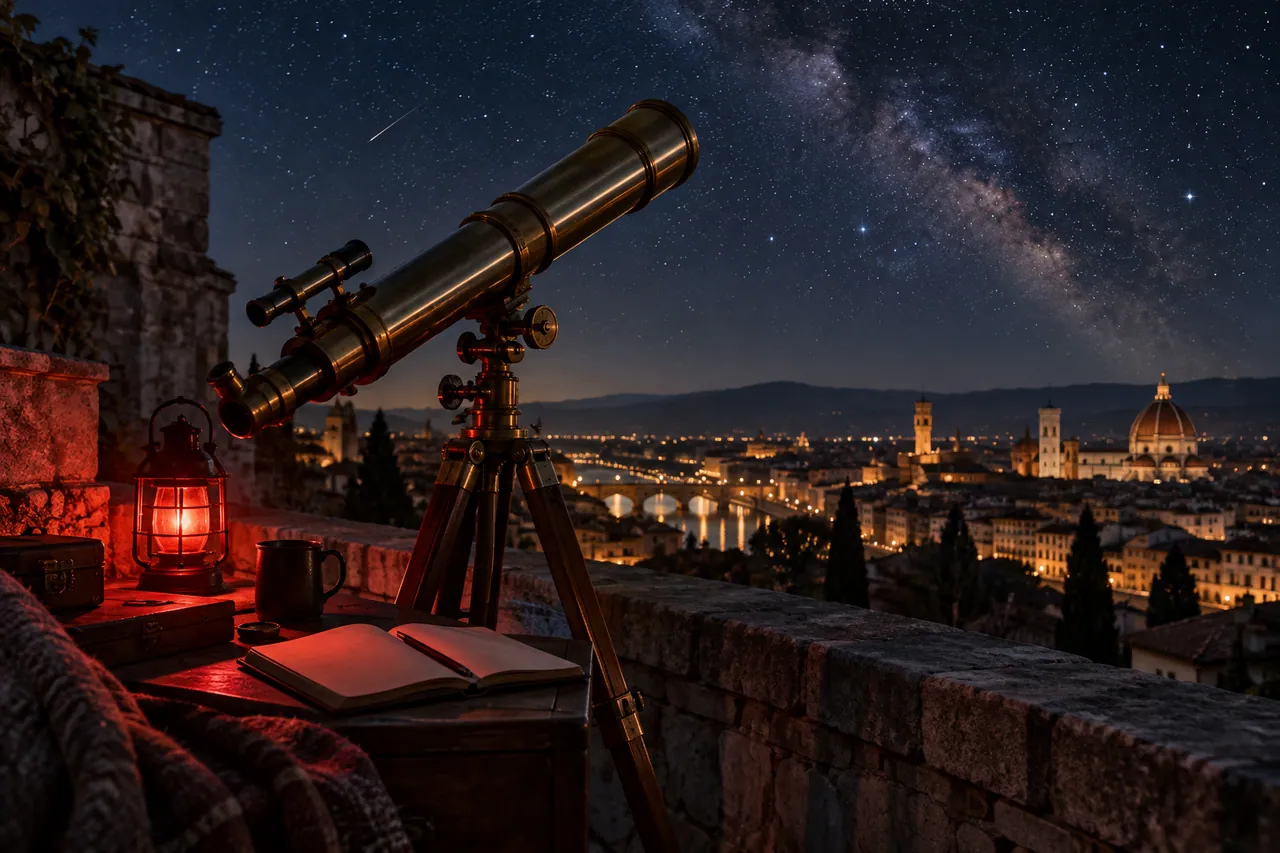
Close view of a brass telescope aimed over a rooftop parapet, a small red observing lamp illuminating a blank notebook, clear night sky and cinematic depth. One coherent composition with a clear focal point and natural material detail. Landscape framing. No text, logos, watermarks or decorative borders.

02 / MAKE THE DECISIONS

A practical Higgsfield AI workflow

01

Choose the point of view

Place the astronomer against a readable skyline and keep the telescope separated from the body. Decide whether the audience is discovering the roof or sharing the observer’s attention. That decision determines the camera height and the amount of foreground.

02

Assign one movement

For the establishing frame, try a restrained forward move toward the telescope. For the detail, prefer a locked camera with subtle environmental motion. Write the starting composition and ending composition in plain language so the movement has a destination.

03

Preserve the geography

Keep the telescope pointing in the same direction across the sequence. The parapet and city lights should remain plausible between angles. A close-up is easier to connect when the same brass material and red observing light recur.

Close view of a brass telescope aimed over a rooftop parapet.
AI-generated supporting concept. Close view of a brass telescope aimed over a rooftop parapet.

03 / REVIEW BEFORE EXPANDING

What to check in your Higgsfield AI creative brief

Adding orbit, zoom, pan and handheld motion to the same request makes the shot hard to evaluate. Start with one camera instruction and one subject action. Check the horizon, telescope geometry and hand placement before making the shot more energetic. A small motion that preserves the scene often edits better than a spectacular but unstable move.

Keep the source prompt, selected reference and revision note together. Compare the next version at its intended display size, and record the specific improvement you want before generating another variation.

PRACTICAL ANSWERS

Higgsfield AI creative planning questions

How detailed should a camera prompt be?

Name the framing, one movement, its pace and what must stay stable. Specify the subject’s action separately. Avoid treating every camera term as a quality enhancer.

How do the two images help an edit?

The wide image answers where the story happens. The detail directs attention to the telescope and observing notes. Together they provide a simple visual progression rather than two competing establishing shots.

THE CREATIVE NOTEBOOK

Learn with Higgsfield AI

Explore a focused tutorial, a practical prompt guide and a real-world planning exercise. Each guide includes an original brief and a checklist for reviewing your result.

Independent educational content. This website is not the official Higgsfield AI service. For current model availability, account features and plans, check the official website linked above.

YOUR NEXT CREATIVE STEP

Try PoloX AI Agent

Turn your ideas into images, videos, and more through conversation. Describe what you want to create and start on PoloX.

EXPLOREGPT Image 2.5
Sunburst & Flare
Try PoloX AI Agent